
P11D Benefits Calculator
Calculate the cash equivalent of every benefit-in-kind for an employee — company car, fuel, beneficial loan, medical insurance and the full HMRC P11D worksheet set — with employee marginal tax and employer Class 1A NIC.
Tax years 2023/24 → 2026/27 · Scotland & rest of UK bands
See it in 40 seconds
Every P11D worksheet, the cash equivalent, employee marginal tax and Class 1A NIC.
Company car & fuel
List price × CO₂ band, EV uplift to 2026/27, optional fuel benefit, capital and private-use contributions.
Beneficial loans
Average-balance method with the official rate of interest, joint-borrower split and de minimis exemption.
Every P11D worksheet
Vans, accommodation, vouchers, services, assets, relocation, subscriptions, childcare and more.
Branded PDF
Practice name, logo and chosen brand colour applied to the cash-equivalent breakdown.
A quick tour
Three short steps from benefit inputs to a branded P11D pack.
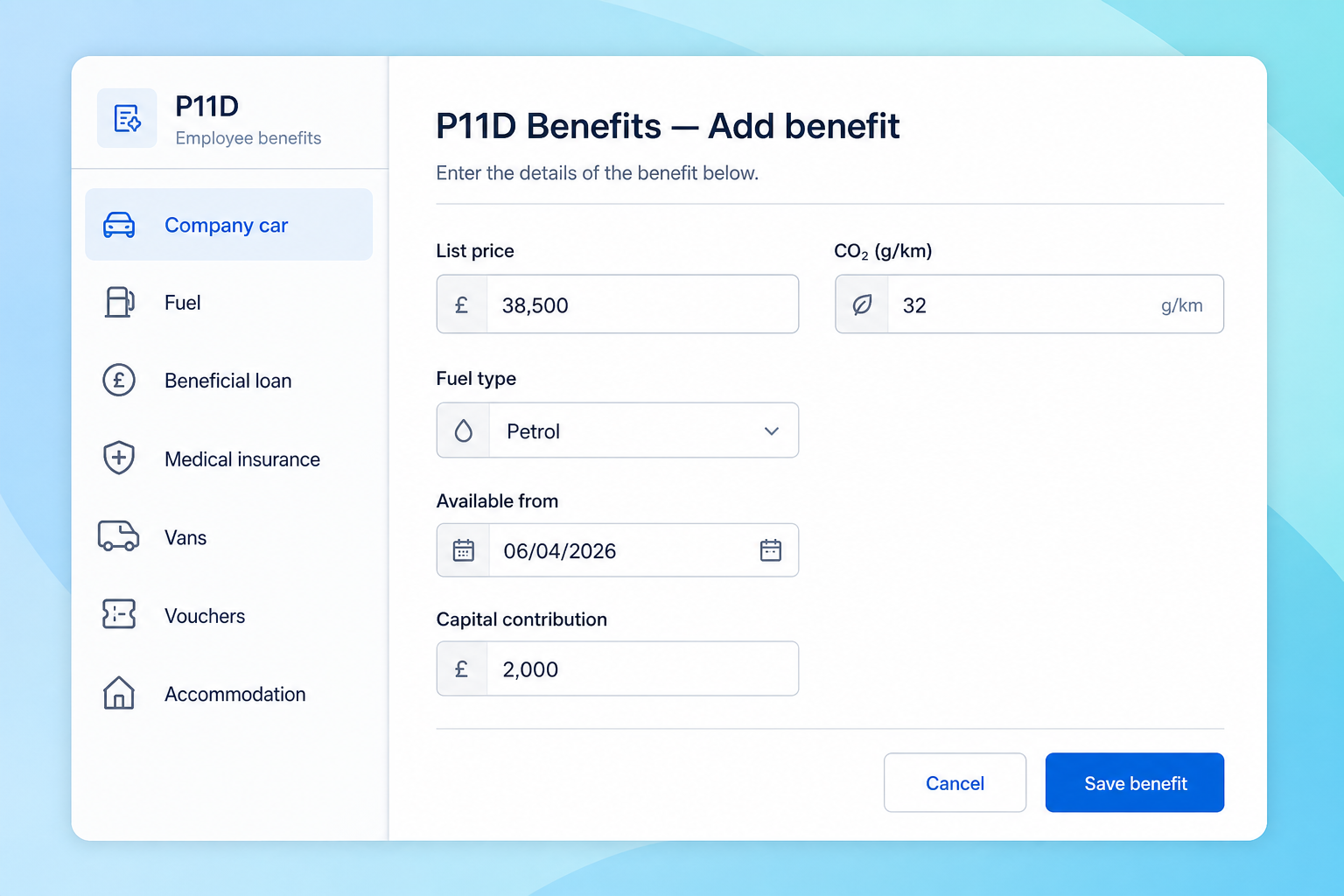
Add the benefit
Pick a benefit category and enter the HMRC inputs — list price, CO₂, fuel type, available-from date, capital and private-use contributions.
- Company car, fuel and beneficial loans
- Vans, vouchers and accommodation
- Available-from / withdrawn dates
- 2026/27 EV uplift built in
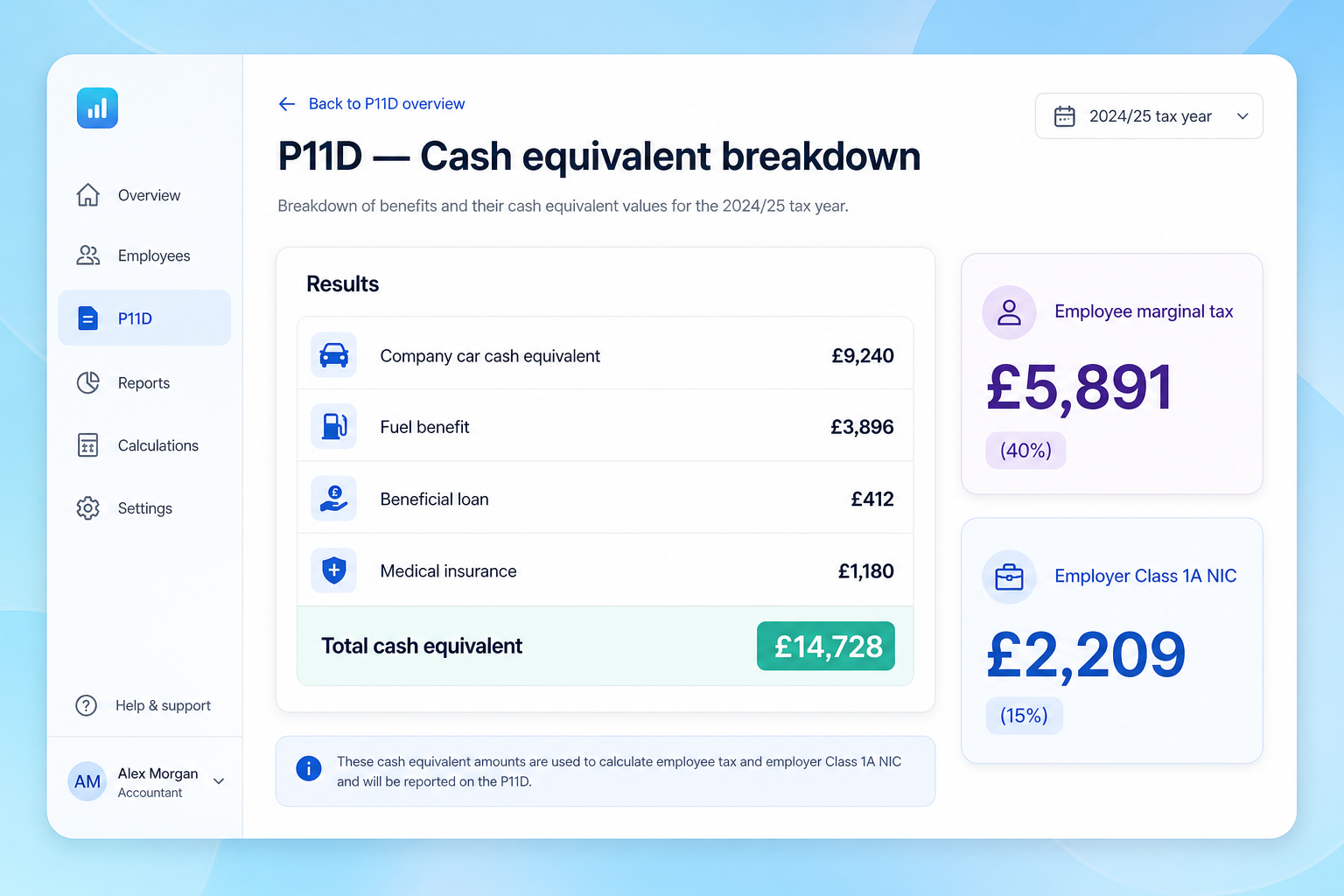
See the cash equivalent
Every benefit is totalled into a single cash equivalent, with the employee's marginal tax and the employer's Class 1A NIC shown alongside.
- Per-benefit cash equivalent rows
- Total cash equivalent
- Employee marginal income tax
- Employer Class 1A NIC at 15%
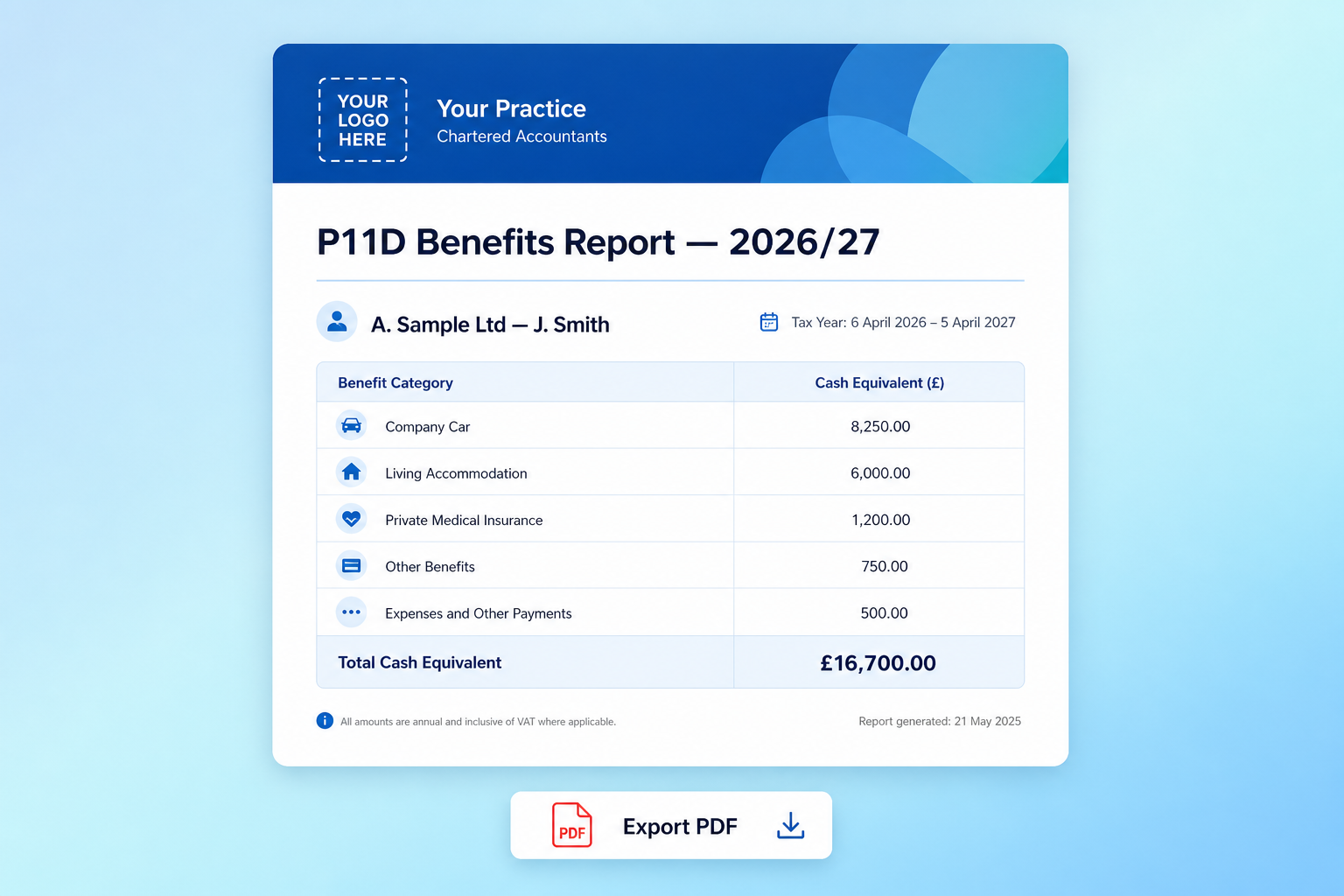
Export the branded PDF
One click for a year-end-ready P11D pack with the practice logo, brand colour and a clean per-employee breakdown.
- Practice logo and brand colour
- Per-employee benefit table
- Tax year and report date
- Ready for the client file
Frequently asked questions
Quick answers on rates, rules and what's included.