
File Box Tracker
Stop hunting for paperwork. Configure how your practice labels and stores boxes, then look up any client's box — with location and notes — in one click.
3-day free trial · cancel anytime
Box A-14 · Main office
3 clients · 2022/23–2024/25
See it in 30 seconds
Configure your label scheme, register a box with multiple clients, then look anyone up in one search.
Configured to your firm
Numeric, alphanumeric, year-prefixed or custom labels — pick what matches the boxes on your shelf.
Multiple locations
Track main office, off-site storage and archive units side by side.
Shared or single-client boxes
Tell us how you store and we'll model boxes that hold one client or many.
Instant lookup
Search by client, box label or location and get the answer immediately.
A quick tour
Three short steps from shelf setup to instant client-file lookup.
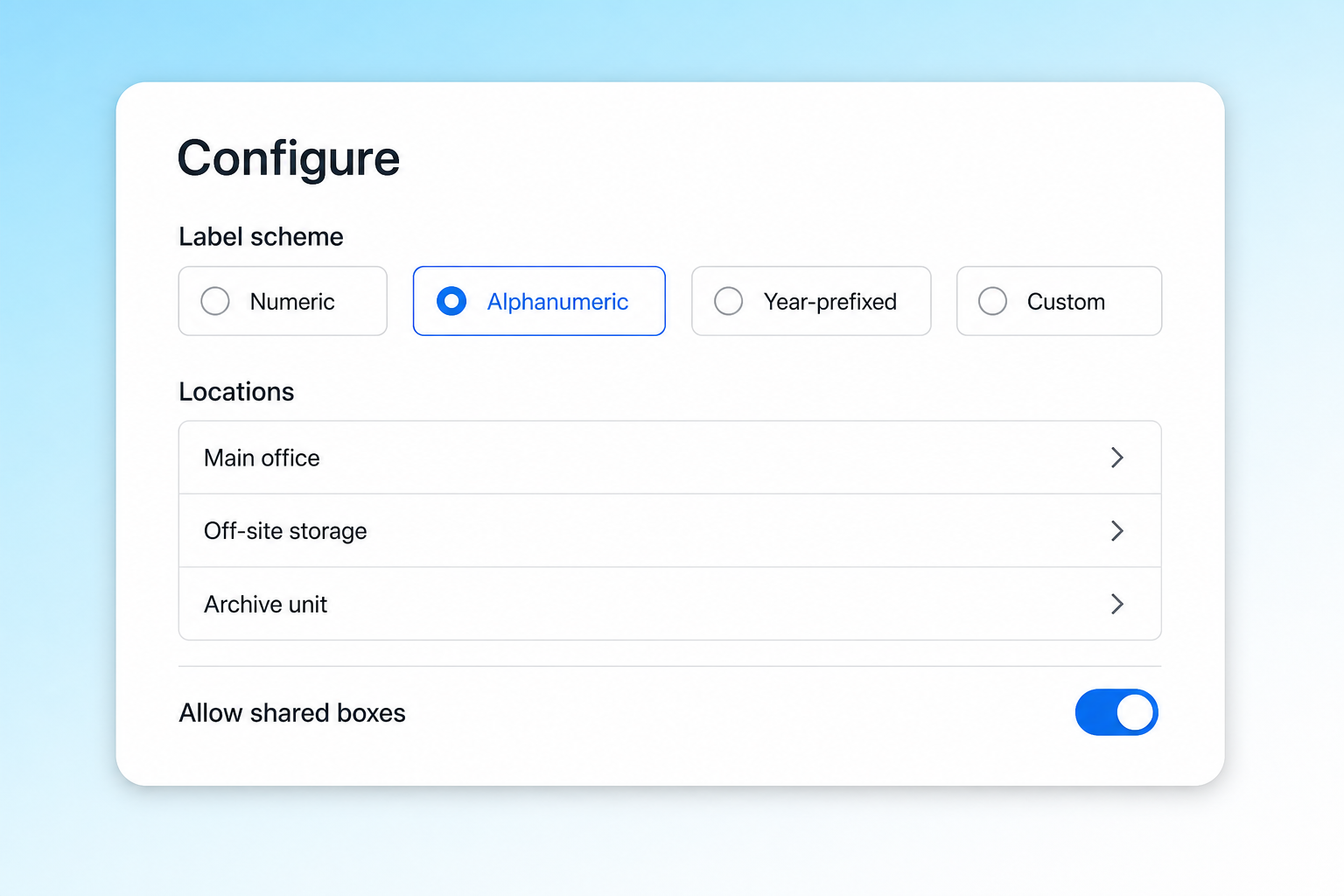
Configure your storage system
Pick the label structure, locations and whether boxes can hold multiple clients before your team starts registering boxes.
- Label scheme selection
- Multiple locations
- Archive and off-site storage support
- Shared boxes toggle
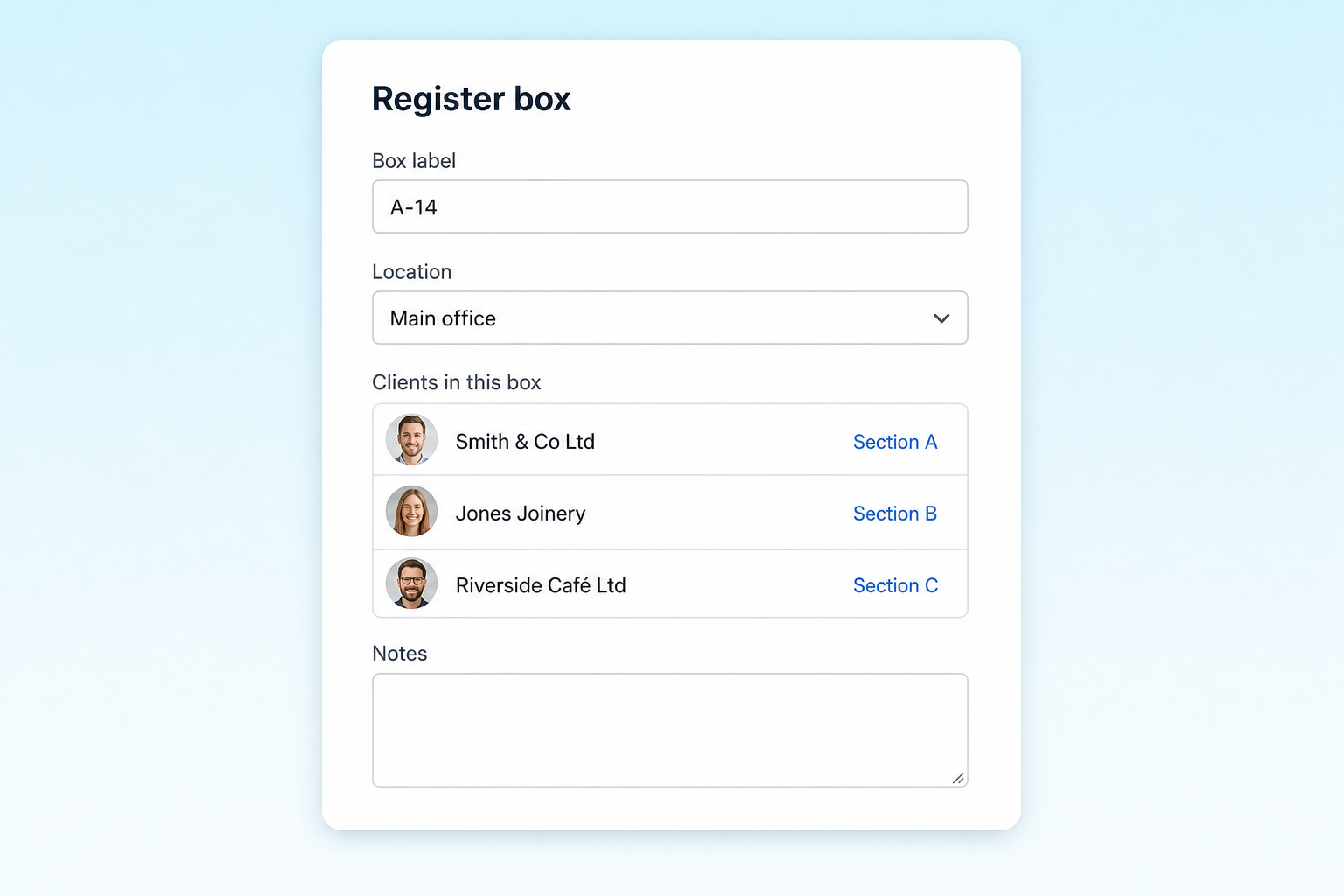
Register each box
Add the box label, set the location and attach the clients inside it so nothing ends up trapped in someone's memory.
- Box label field
- Location dropdown
- Multi-client box contents
- Notes area for context
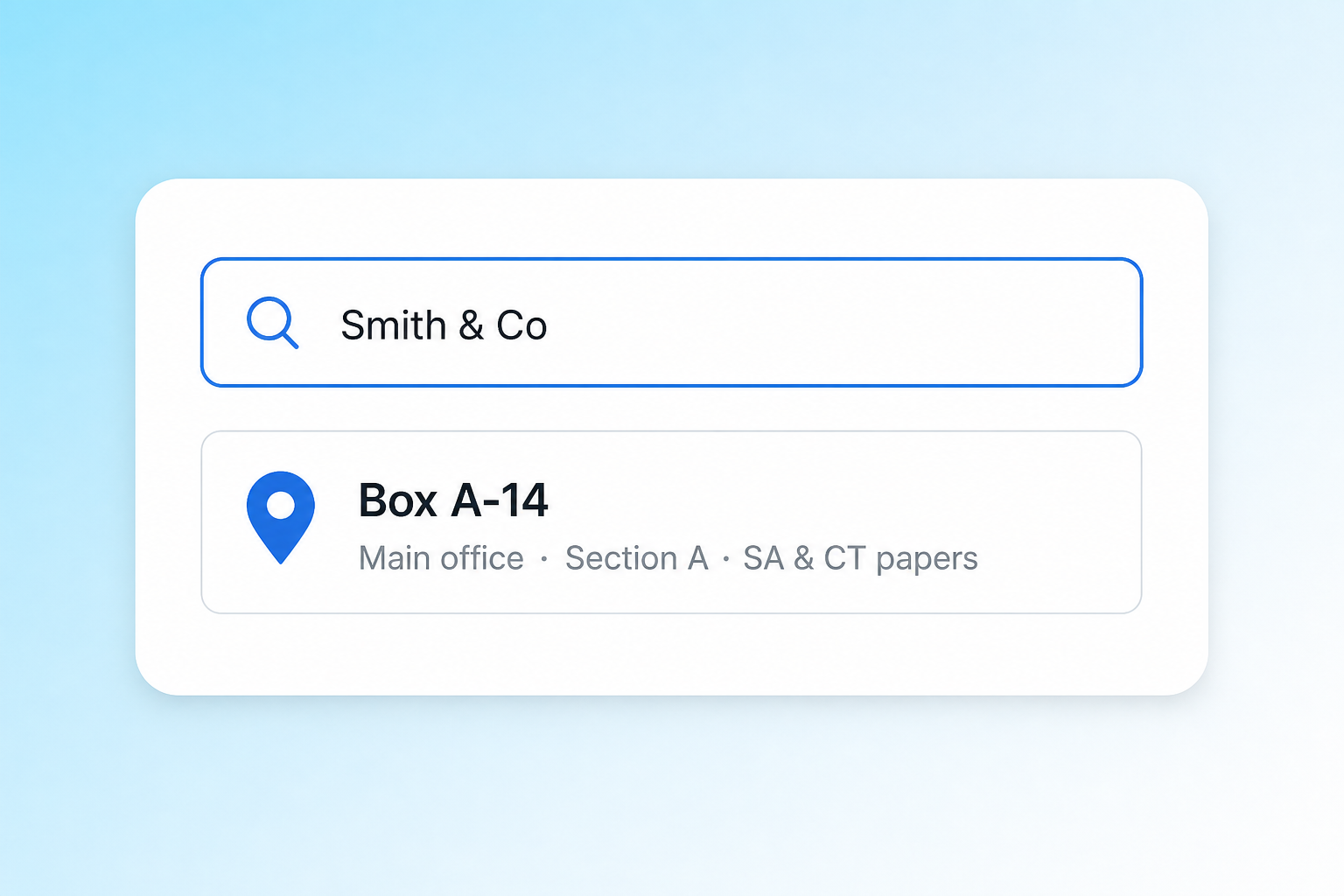
Find any file instantly
Search by client name and the matching box, location and notes appear straight away for the team.
- Fast client-name search
- Single clear result card
- Box label shown prominently
- Location and contents summary
Frequently asked questions
Quick answers on rates, rules and what's included.